
Self-service setup guides

Speech Large Package Setup Guide

Set up your wired microphone and speakers for clear, comfortable speech.

Reviewed by the Rent Loud team Updated 16 October 2026

Speech Large Package
Package checklist Step-by-step setup Safety and cable tips

At a glance

Speech Large Package

£149/day

Package focus

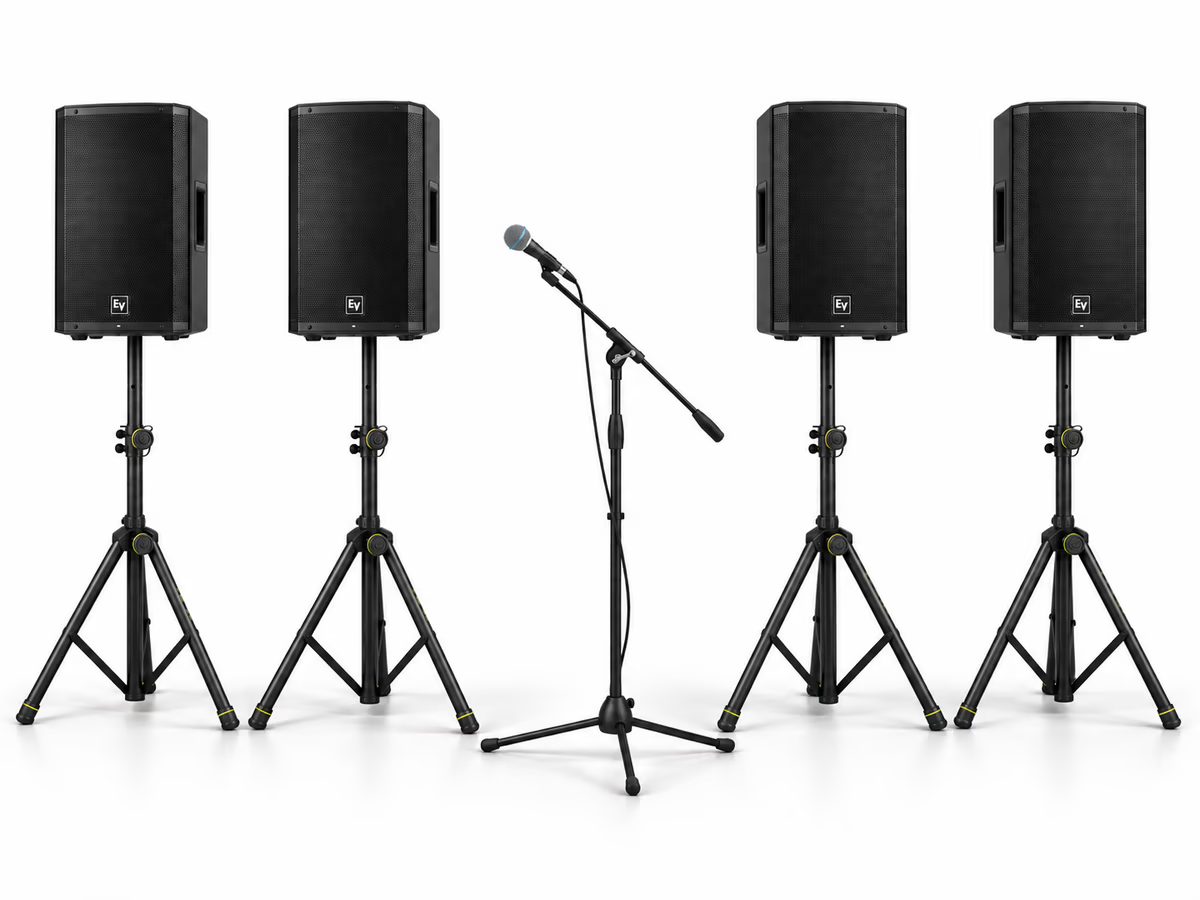
Four powered speakers and a wired microphone for broad, clear speech coverage.

Signal path

  1. Microphone
  2. → Speaker 1
  3. → Speaker 2
  4. → Speaker 3
  5. → Speaker 4

Need extra cables or adapters? Visit Cables & Accessories to add free cables and adapters with at least £49 of equipment hire before discounts.

Before you begin

Choose safe positions, then check every item is there.

What's included

  • 4x 10m IEC Cable
  • 4x 10m XLR Cable
  • 4x EV ZLX-12P G2 12" Speaker
  • 1x G4M Boom Mic Stand
  • 4x Gravity GSP5211B Tripod Speaker Stand
  • 1x SubZero SZM-11 Beta Dynamic Vocal Microphone

Good setup position

  • Check the equipment listed on your booking before starting.
  • Keep equipment dry and stands and cables clear of guests.
  • Add any extra cables or adapters from Cables & Accessories to your basket, free with at least £49 of equipment hire before discounts.

Setup steps

Work through the setup in this order.

Step 1

Choose safe positions

  1. Use level ground, spread stand legs fully and tighten the controls. Keep stands away from doors and walkways.
  2. Mount each speaker securely with help where needed, aiming it towards the listening area.
  3. Keep the loudspeakers forward of the microphone position and aimed away from the microphone to reduce feedback.

Step 2

Connect power with levels low

  1. Keep equipment switched off while connecting cables.
  2. Connect each powered unit to mains using its IEC cable. Start with input and main levels low.
  3. Run cables around the edges of the room and protect any crossing a walkway.

Step 3

Connect the microphone and speaker chain

  1. Set up the microphone stand and connect the microphone to Input 1 on speaker one using one XLR cable.
  2. Connect speaker one's MIX OUT to speaker two's Input 1. Continue along the remaining speakers using one XLR cable per link.
  3. Keep the microphone aimed away from the loudspeakers and test it before guests arrive.

Step 4

Test and balance the sound

  1. While someone speaks close to the microphone, raise its input level gradually on speaker one, then balance each speaker's local level for clear coverage.
  2. Walk around the listening area. Lower levels if audio distorts or a microphone feeds back.

Step 5

Pack down safely

  1. Stop audio, lower levels and switch all units off before disconnecting.
  2. Unplug power and XLR cables and coil them loosely. Remove speakers before folding stands.
  3. Check your booking's equipment list, including any free cables and adapters, before returning everything.

Useful tips

Keep the setup clear, tidy, and under control.

Free connection cables and adapters
  • Choose extra cables and adapters from Cables & Accessories, free with at least £49 of equipment hire before discounts.
Optional mixer or earlier mixer-inclusive hires
  • A mixer is not included with the standard speaker package. Use this section only if your booking includes one.
  • Connect microphones or a wired source to the mixer with channel levels low. Connect the mixer output to speaker one's input, then continue through the speaker chain.
  • For FLOW 8 Bluetooth playback, use Menu → Bluetooth → Pair Audio, then pair your device to FLOW 8. In this configuration use the mixer for overall volume.
  • If you need more microphone inputs, add a suitable mixer product to your basket. Earlier bookings may already include an automatic mixer upgrade; follow the equipment listed on your booking.

Troubleshooting

Quick checks if something is not working.

No sound
  • Check the microphone cable and speaker one's microphone input level.
  • Check power and local input levels on every unit.
A later speaker is silent
  • Follow the XLR chain from the last working speaker. Check its MIX OUT connection and the next speaker's input.
  • Check the next speaker has power and its input level is up. Swap a suspect cable with a known working cable.
Distortion or feedback
  • Lower the source input level first, then rebalance individual speakers.
  • Keep microphones away from and aimed away from speakers. Lower the microphone input immediately if you hear ringing.

Important safety notes

Keep the setup stable, dry and clear of guests.

  • Keep equipment dry and away from drinks.
  • Never move a stand with a speaker mounted.
  • Keep cables protected and walkways clear.
  • Do not overload sockets or open equipment.

Need help?

If you get stuck, contact Rent Loud.

Explore next

Keep exploring