07517 858103WhatsApp07517 858103WhatsApp
Rent Loud single PA package

Self-service setup guides

Single PA Package Setup Guide

Step-by-step instructions for setting up one powered speaker, one microphone, and one microphone stand for speeches, announcements, hosts, and small events.

Reviewed by the Rent Loud team Updated 12 July 2026

Package checklist Microphone setup Optional Bluetooth music Feedback and safety tips

At a glance

Single PA Speaker Package

£49/day

Best for

Speeches, hosts, and small live events

Package focus

A simple powered speaker setup for speeches, background music, announcements, and small events.

Before you begin

Choose a safe position, then check every item is there.

What's included

  • 1x 10m IEC Cable
  • 1x EV ZLX-12 G2 Speaker Cover
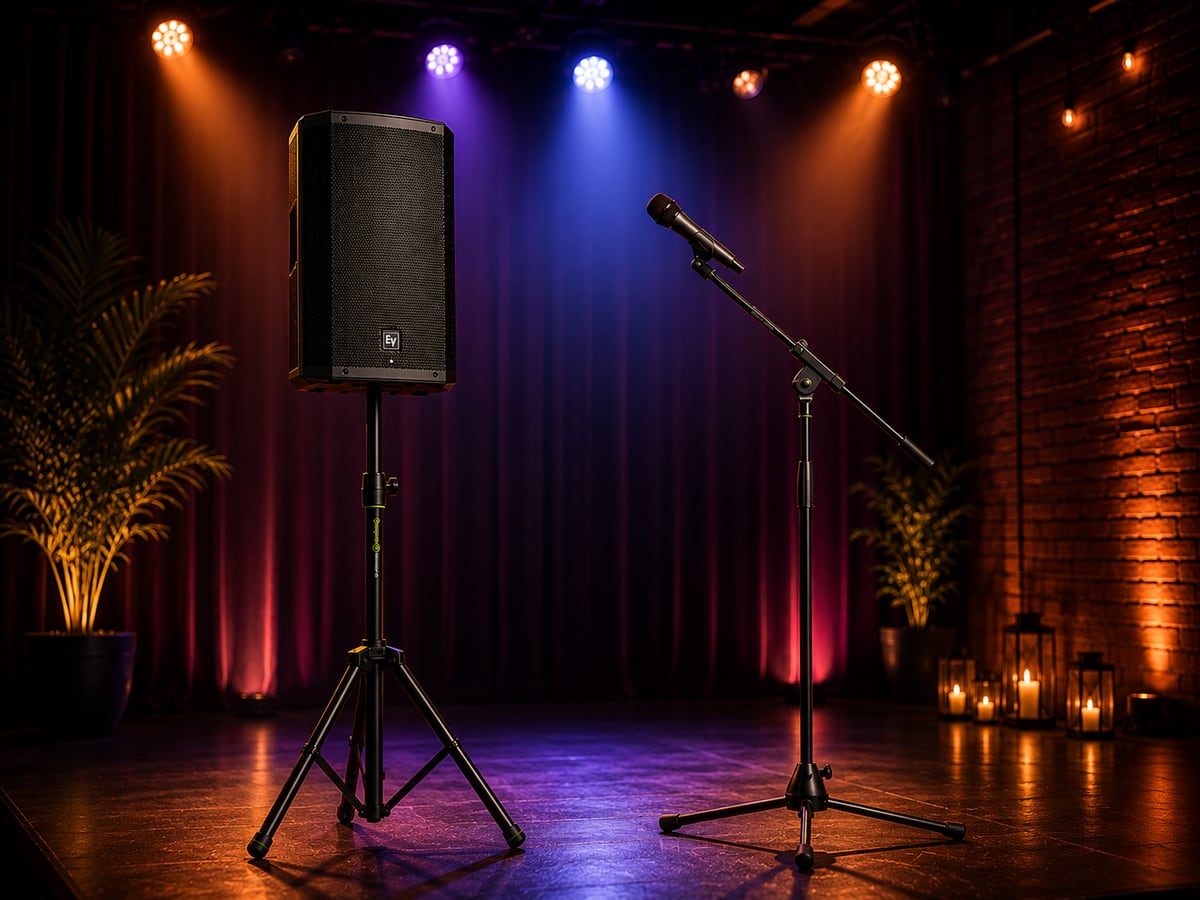
  • 1x EV ZLX-12P G2 12" Speaker
  • 1x Gravity GBGSS2B Carry Bag
  • 1x Gravity GSP5211B Tripod Speaker Stand

Good setup position

  • Choose a flat, stable position for the speaker stand.
  • Place the speaker at the front or side of the room, facing guests.
  • Keep the microphone in front of the speaker, not behind it.
  • Keep the setup away from drinks, doors, and busy walkways.
  • Keep power and microphone cables away from walking routes where possible.

Setup steps

Set up the speaker and microphone, then test the room.

Step 1

Set up the speaker stand

  1. Place the Gravity speaker stand on a flat, stable surface.
  2. Loosen the leg adjustment knob.
  3. Spread the tripod legs fully.
  4. Tighten the leg adjustment knob so the stand is stable.
  5. Adjust the height if needed.
  6. Tighten the height adjustment knob securely.

Do not make the stand too high. For most rooms, having the speaker slightly above head height is enough.

Step 2

Put the speaker on the stand

The speaker is heavy, so use two people if needed.

  1. Remove the speaker from its cover.
  2. Lift the speaker carefully.
  3. Lower it onto the pole at the top of the stand.
  4. Make sure the speaker is fully seated on the stand.
  5. Turn the speaker so the front grille faces the guests.
  6. Tighten the knob on the bottom of the speaker so it grips securely onto the stand.

Do not move the stand around once the speaker is mounted.

Step 3

Set up the microphone stand

  1. Place the microphone stand in front of the speaker, not behind it.
  2. Spread the stand legs so it is stable.
  3. Adjust the height to a comfortable speaking or singing position.
  4. Adjust the boom arm if supplied so the microphone sits close to the person using it.
  5. Tighten all knobs so the stand does not drop or move during use.

Keeping the microphone in front of the speaker helps reduce feedback.

Step 4

Connect the microphone

  1. Plug one end of the XLR cable into the bottom of the microphone.
  2. Plug the other end into Input 1 on the back of the speaker.
  3. Place the microphone into the microphone stand clip.
  4. Keep the cable tidy and away from where people will walk.
  5. Make sure the cable is not pulled tight.

Do not point the microphone at the speaker. This can cause loud feedback.

Step 5

Connect power

  1. Make sure the speaker is switched off.
  2. Plug the power cable into the back of the speaker.
  3. Plug the other end into a mains socket.
  4. Keep the power cable tucked safely out of the way where possible.
  5. Do not switch the speaker on yet.

Avoid stretching cables across walkways. Use tape or cable covers if a cable has to cross a walking route.

Step 6

Turn on and set microphone level

  1. Turn the speaker on using the power switch on the back.
  2. Start with the main speaker volume low.
  3. Ask someone to speak into the microphone close to their mouth.
  4. Slowly raise Input 1 until the voice is clear.
  5. Slowly raise the main speaker volume until the room level is comfortable.
  6. Test from the back of the room and adjust in small steps.

If you hear loud ringing or squealing, turn Input 1 down straight away and move the microphone further from the speaker.

Step 7

Optional: connect music by Bluetooth

Use this if you want background music before or after speeches, announcements, or singing.

  1. On the back of the speaker, tap the Bluetooth button once until it lights up.
  2. Press and hold the Bluetooth button for around 5 seconds.
  3. Open Bluetooth settings on your phone, tablet, or laptop.
  4. Make sure Bluetooth is turned on.
  5. Look for the EV ZLX speaker in the list of available devices.
  6. Tap the EV ZLX speaker to pair.
  7. Once connected, open your music app.
  8. Play a test track quietly.
  9. Use your device volume and the speaker volume to balance music with the microphone.

Keep music quieter than the microphone for speeches or announcements, so voices stay clear.

Step 8

Test before guests arrive

  1. Speak into the microphone at a normal level.
  2. Check the voice is clear from the back of the room.
  3. Play music quietly if you plan to use Bluetooth.
  4. Check that the microphone is not pointing at the speaker.
  5. Make sure cables are not creating trip hazards.

The microphone should sound clear and natural, not harsh, distorted, or painfully loud.

Step 9

Turn the system off in the right order

  1. Turn down the microphone input level.
  2. Turn down the main speaker volume.
  3. Stop any music playing from your device.
  4. Turn off the speaker.
  5. Unplug cables only after the speaker is off.

Turning levels down first helps avoid loud pops or sudden noise.

Feedback and cable tips

Keep voices clear and the setup tidy.

How to avoid feedback
  • Keep the microphone in front of the speaker, not behind it.
  • Do not point the microphone at the speaker.
  • Keep the person speaking or singing a few steps away from the speaker.
  • Turn Input 1 down if feedback starts.
  • Move the speaker further away from the microphone if needed.
  • Avoid placing the speaker in a corner if the sound becomes boomy.
Microphone technique
  • Hold or position the microphone close to the mouth.
  • Speak or sing across the top of the microphone rather than from far away.
  • Do not cover the grille at the top of the microphone.
  • Do not tap or drop the microphone.
  • Put the microphone back on the stand when not in use.
Bluetooth music tips
  • Keep your phone, tablet, or laptop close to the speaker.
  • Make sure no one else is already connected to the speaker.
  • Turn Bluetooth off and on again if the speaker does not appear.
  • Restart the speaker and try again if the connection drops.
  • Keep your device charged during the event.
Cable safety
  • Run cables along walls where possible.
  • Avoid running cables across walkways.
  • Use tape or cable covers if cables must cross a walking route.
  • Keep cables away from drinks.
  • Do not pull cables tight.
  • Do not let guests move the speaker stand.
Packing down
  • Stop any music.
  • Turn down the microphone input and main speaker volume.
  • Turn off the speaker.
  • Unplug the speaker from the mains.
  • Disconnect the XLR cable from the microphone and speaker.
  • Coil the XLR cable neatly.
  • Remove the microphone from the stand.
  • Fold down the microphone stand.
  • Remove the speaker from the stand carefully.
  • Put the speaker back in its cover.
  • Fold down the speaker stand and pack all items together.

Troubleshooting

Quick checks if something is not working.

Microphone is not working
  • Check the XLR cable is fully clicked into the microphone.
  • Check the other end is connected to Input 1 on the speaker.
  • Check Input 1 is turned up.
  • Check the main speaker volume is turned up.
  • Speak close enough to the microphone.
There is a loud squealing sound
  • This is feedback.
  • Turn Input 1 down straight away.
  • Move the microphone away from the speaker.
  • Make sure the microphone is not pointing at the speaker.
  • Move the speaker and microphone further apart if needed.
Music is not playing
  • Check the speaker is switched on.
  • Check your device volume is turned up.
  • Check the speaker volume is turned up.
  • Check Bluetooth is connected to the EV ZLX speaker.
  • Check the track is actually playing.
The sound is distorted
  • Turn the microphone input down slightly.
  • Turn the main speaker volume down slightly.
  • Turn your music device volume down slightly.
  • Avoid shouting directly into the microphone.
  • Move the speaker away from corners if the bass sounds boomy.

Important safety notes

Keep the setup dry, stable, and sensible.

  • Do not use the equipment outdoors in rain.
  • Keep all equipment away from drinks and moisture.
  • Do not overload plug sockets.
  • Do not place the speaker stand where it can be knocked over.
  • Do not let children climb on or pull the speaker stand.
  • Do not open or attempt to repair any equipment.
  • Keep the volume at a safe level for the room.

Need help?

If you get stuck, contact Rent Loud.