
07517 858103WhatsApp07517 858103WhatsApp
Rent Loud double karaoke package

Self-service setup guides

Double Karaoke Package Setup Guide

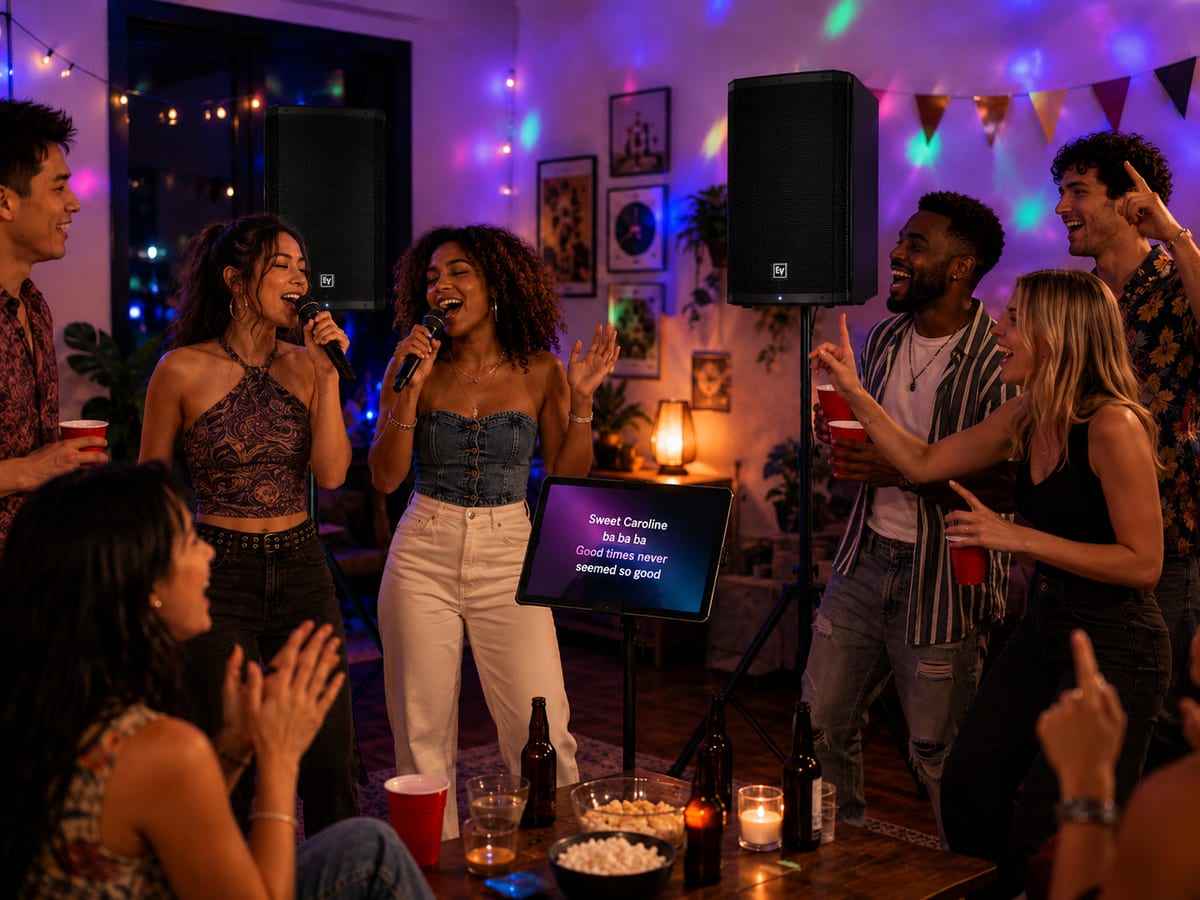
Get two speakers, two microphones, the karaoke tablet, and optional lyrics screen ready for a wider karaoke party.

Reviewed by the Rent Loud team Updated 12 July 2026

Package checklist Step-by-step setup Safety and cable tips

At a glance

Double Karaoke Package

£99/day

Best for

Bigger karaoke nights and wider rooms

Package focus

A wider karaoke setup for bigger rooms, halls, and busier sing-along parties.

Before you begin

Choose safe positions, then check every item is there.

What's included

  • 2x 10m IEC Cable
  • 3x 10m XLR Cable
  • 1x 3m USB-C Power Cable
  • 2x EV ZLX-12P G2 12" Speaker
  • 2x EV ZLX-12P G2 Cover
  • 2x G4M Boom Mic Stand
  • 1x Gravity GBGSS2B Carry Bag
  • 2x Gravity GSP5211B Tripod Speaker Stand
  • 1x Samsung Galaxy S8 Ultra
  • 2x SubZero SZM-11 Beta Dynamic Vocal Microphone
  • 1x Tablet Tripod Stand

Good setup position

  • Set the two speakers to the left and right of the singing area, facing guests.
  • Keep microphones in front of the speakers and cables out of walkways.
  • Put the tablet on its stand somewhere the singer can see and operate it.
  • Keep all equipment dry and clear of drinks.

Setup steps

Work through the setup in this order.

Step 1

Set up speakers and power

  1. Fully open both tripod stands on flat ground and tighten their knobs.
  2. Mount both speakers, secure the bottom locking knobs, and point them at the room.
  3. Connect each speaker to mains power but leave them off until audio is connected.

Step 2

Link the two speakers

  1. Use an XLR cable to connect Mix Out on Speaker 1 (the master speaker) to Input 1 on Speaker 2.
  2. Keep the cable tidy and out of walkways.
  3. Speaker 2 receives the same backing track and microphone mix from Speaker 1.

Step 3

Connect the microphones

  1. Set up both microphone stands in front of the speakers.
  2. Connect both microphones with XLR cables to the inputs on Speaker 1 (the master speaker).
  3. Keep the cables loose enough to move but tidy enough not to trip over.
  4. Keep microphones pointing away from both speakers.

Step 4

Set up the tablet and karaoke app

  1. Put the tablet on its tripod stand and connect its USB-C charger.
  2. Open Singa and sign in using the details supplied with the package.
  3. Choose a song and use the tablet as the control and lyrics screen.
  4. If using a TV for larger lyrics, connect the tablet to it with the supplied compatible display connection, then select the TV input.

Step 5

Connect karaoke sound by Bluetooth

  1. Turn on Speaker 1 (the master speaker) and put it into Bluetooth pairing mode by holding its Bluetooth button for about five seconds.
  2. On the tablet, open Bluetooth settings and select the EV ZLX speaker.
  3. Play a song quietly to confirm backing music is coming through both speakers.
  4. Turn on Speaker 2 and set its level to match Speaker 1.
  5. Keep the tablet close to the connected speaker throughout the event.

Start all levels low. The tablet's Bluetooth connection and both microphones feed Speaker 1; its Mix Out sends the complete mix to Speaker 2.

Step 6

Set levels and test

  1. Raise the microphone input levels on Speaker 1 slowly while someone sings close to each microphone.
  2. Raise both speaker main levels gradually until backing track and vocals are balanced.
  3. Walk around the room and make small adjustments so both sides sound even.
  4. Turn a microphone down immediately if you hear squealing feedback.

Step 7

Pack down

  1. Stop the music, lower microphone and main levels, then switch off both speakers.
  2. Unplug and coil cables, remove microphones, fold the stands, and return speakers to their covers.
  3. Pack the tablet, charger, and all accessories together.

Useful tips

Keep the setup clear, tidy, and under control.

Avoid feedback
  • Keep microphones in front of—not behind—the speakers.
  • Sing close to the microphone instead of turning its level up too far.
  • Do not point or tap a microphone at a speaker.
  • Move the singer and microphone further from the speakers if ringing begins.
TV lyrics and tablet tips
  • Keep the tablet charged for the whole event.
  • Use the tablet to search songs and queue singers.
  • If a TV has no picture, check it is on the correct input and that the display cable is fully seated.
  • The karaoke backing track still needs to be playing through the paired master speaker.

Troubleshooting

Quick checks if something is not working.

No backing track
  • Check the tablet is paired to Speaker 1 and Singa is playing.
  • Check the XLR cable runs from Speaker 1 Mix Out to Speaker 2 Input 1.
  • Raise tablet and speaker volume gradually.
  • Restart Bluetooth pairing if another device has connected first.
Microphone is quiet or not working
  • Check the XLR cable clicks into both the microphone and an input on Speaker 1 (the master speaker).
  • Raise Speaker 1's microphone input level, then its main level.
  • Speak or sing close to the microphone.

Important safety notes

Keep the speakers stable and the microphones away from feedback.

  • Do not use outdoors in rain.
  • Keep drinks away from speakers, tablet, and cables.
  • Do not move stands with speakers mounted.
  • Keep stands and cables clear of guests and dancing areas.
  • Do not open or repair the equipment.

Need help?

If you get stuck, contact Rent Loud.